Develop Schedule pulls together activities, their sequence, durations, and resource availability into a schedule model, then sets the schedule baseline. Critical path method reveals which activities drive the end date, while resource optimization and schedule compression (crashing, fast-tracking) reconcile the schedule with constraints.
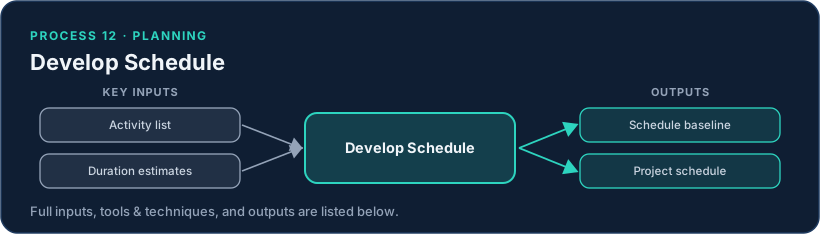
It is iterative: the team adjusts assignments, leads and lags, and sequencing until the schedule is both realistic and acceptable. The critical path and total float become the levers the PM watches and manages for the rest of the project.
Common pitfalls. An over-optimistic baseline no one believes; ignoring resource constraints and producing an unachievable schedule; crashing or fast-tracking without accounting for the added cost and risk; and a baseline that is never re-validated as work proceeds.
Inputs, Tools & Techniques, and Outputs
Inputs
- Project management plan
- Project documents
- Agreements
- Enterprise environmental factors
- Organizational process assets
Tools & Techniques
- Schedule network analysis
- Critical path method
- Resource optimization
- Data analysis
- Leads and lags
- Schedule compression
- Project management information system
- Agile release planning
Outputs
- Schedule baseline
- Project schedule
- Schedule data
- Project calendars
- Change requests
- Project management plan updates
- Project documents updates
How This Process Connects
Every process hands artifacts to other processes. Follow the flow of this one:
Where its inputs come from
- Conduct Procurementsproduces: Agreements
- Develop Project Management Planproduces: Project management plan
Where its outputs go
- Perform Integrated Change Controluses: Change requests
More in Project Schedule Management
In the Domains & Principles View
The PMBOK® Guide frames this work through performance domains and principles:
In the Eighth Edition
Develop Schedule keeps its name in the Eighth Edition but now also covers Define Activities, Sequence Activities, and Estimate Activity Durations. It sits in the Schedule performance domain. The single biggest consolidation in the edition: 4 processes to 1. Schedule drops from 6 processes to 3.