Where this came from
This process did not exist under this name before the Eighth Edition. Here is what it was called, and where the previous write-up still lives:
Monitor and Control Project Performance is the process that keeps the whole project in view while it runs: comparing what is happening with the plan, forecasting where it is heading, and raising change requests when it is drifting off course.
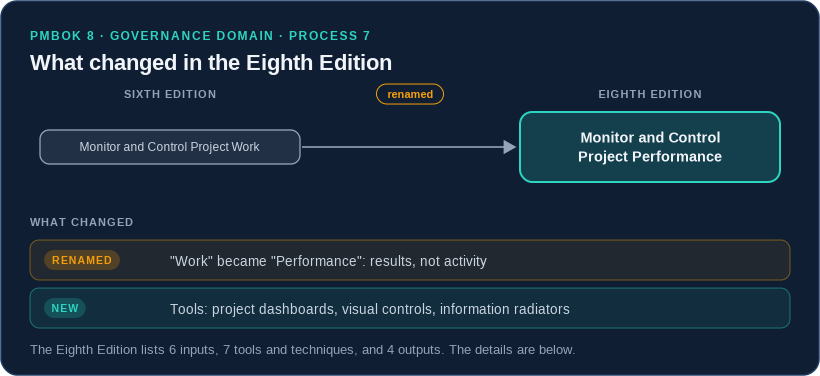
What changed
This is Monitor and Control Project Work under a new name. One word changed, and it is the right word to notice. “Work” points at activity: are tasks getting done? “Performance” points at results: is the project delivering what it is supposed to, at the cost and pace it is supposed to? The edition makes the same move from outputs to outcomes throughout, and this process name is one of the clearest places to see it.
The inputs and outputs barely moved. The process still turns work performance information into work performance reports, and still produces change requests and updates to the plan and project documents.
Three new tools, all about making status visible
The tools list grew from four entries to seven, and all three additions do the same job: project dashboards, visual controls and information radiators. None of them appeared against this process in the previous set.
Information radiators and visual boards came from agile practice, where a team’s status lives on a wall or a shared screen rather than in a monthly report. Listing them here says that a task board or burndown chart counts as monitoring and controlling in its own right, not as an agile extra next to the real reporting. The analysis techniques are still there too, earned value, trend, variance and root cause analysis among them.
If you learned the previous set
The job is the same: measure, compare, forecast, and act through change requests. Expect exam scenarios that describe a team looking at a board or dashboard and ask what the project manager should do next. In this edition, that is this process at work.
Inputs, Tools & Techniques, and Outputs
Compared with the Sixth Edition’s Monitor and Control Project Work. Items marked New, Renamed or Moved changed; everything else carries over.
Inputs 6
- Project management plan
- Project documents
- Work performance information
- Agreements
- Enterprise environmental factors
- Organizational process assets
Tools & Techniques 7
- Expert judgment
- Data analysis
- Decision-making
- Meetings
- Project dashboards New
- Visual controls New
- Information radiators New
Outputs 4
- Work performance reports
- Change requests
- Project management plan updates
- Project document updates
Every ITTO column in the eighth edition ends in “Etc.”, so the guide presents these lists as typical, not complete. Grouped items such as project documents are shown at the top level. PMBOK® Guide — Eighth Edition, §2.1.6.7. What changed in the ITTOs, across all 40 processes.